Why Every Serious SQL Server DBA Must Master PowerShell: From Manual Administration to Scalable Infrastructure Engineering
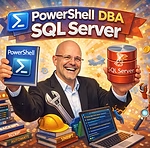
Introduction: The Day Manual Administration Stops Working
Managing a single SQL Server instance can be straightforward.
Managing five requires organization.
Managing fifty demands discipline.
Managing hundreds or thousands requires automation — or failure becomes inevitable.
At scale, traditional point-and-click administration through SQL Server Management Studio (SSMS) collapses under its own limitations. Tasks that once took minutes begin consuming days. Human error multiplies. Configuration drift becomes uncontrollable. Compliance becomes uncertain.
This is the moment when PowerShell stops being “nice to have” and becomes mission-critical.
For the modern SQL Server DBA, PowerShell is not just a scripting language. It is an operational multiplier, a governance engine, and a strategic differentiator.
The Reality of Enterprise SQL Server Environments
In large organizations, SQL Server environments typically include:
- Multiple business units
- Different SQL Server versions
- Development, QA, staging, and production tiers
- Hybrid on-premises and Azure deployments
- Always On Availability Groups
- Failover Clusters
- DR replicas in secondary regions
- Hundreds of databases per instance
Now imagine performing the following manually:
- Checking backup compliance across 600 instances
- Validating CHECKDB history for 4,000 databases
- Applying security configuration standards
- Deploying SQL Agent jobs consistently
- Rotating service accounts
- Validating Always On replica health
Manual execution is not just inefficient.
It is operationally irresponsible.
Why PowerShell Is Essential for the SQL Server DBA
PowerShell is Microsoft’s task automation and configuration management framework. It integrates deeply with:
- Windows Server
- Active Directory
- Azure
- SQL Server
- Failover Clustering
- Storage subsystems
- REST APIs
For SQL Server DBAs, this integration is transformative.
Let’s break down why.
1. Scalability: Execute Once, Apply Everywhere
PowerShell enables you to write a script once and execute it against:
- 10 instances
- 100 instances
- 1,000 instances
In minutes.
Instead of connecting manually to each server, you can:
- Loop through a central inventory
- Execute T-SQL remotely
- Collect structured results
- Export to CSV, JSON, or dashboards
Scalability is not about speed.
It is about control at scale.
2. Standardization and Governance
One of the greatest risks in large SQL Server estates is configuration drift.
Over time:
- Some servers disable xp_cmdshell.
- Others leave it enabled.
- Some enforce password policies.
- Others do not.
- Some use correct MAXDOP settings.
- Others use defaults.
PowerShell allows DBAs to:
- Audit configuration across all instances
- Compare against a defined baseline
- Automatically remediate deviations
- Generate compliance reports
Governance becomes automated rather than reactive.
3. Operational Efficiency and Time Recovery
Consider the difference:
Manual task:
Open SSMS → Connect → Run query → Save results → Repeat 300 times.
PowerShell approach:
Run script → Wait 30 seconds → Review consolidated output.
The time saved is not just convenience.
It allows the DBA to:
- Focus on performance tuning
- Analyze workload patterns
- Design high availability strategies
- Plan capacity and cost optimization
- Improve security posture
Automation frees intellectual bandwidth.
Real-World PowerShell Use Cases for SQL Server DBAs
Let’s explore where PowerShell delivers measurable value.
Enterprise Inventory and Auditing
A DBA may need to collect:
- SQL Server version and build
- Edition (Standard, Enterprise)
- Patch level
- OS version
- Memory configuration
- Number of databases
- Database sizes
- Last full backup date
- Recovery model
- Encryption status (TDE)
With PowerShell and modules like SqlServer or dbatools, you can gather this across hundreds of instances and consolidate results into a single report.
This transforms reactive firefighting into proactive governance.
Backup and CHECKDB Validation
In enterprise environments, compliance often requires:
- Daily full backups
- Regular differential/log backups
- Routine DBCC CHECKDB execution
PowerShell can:
- Validate backup history
- Alert on missed backups
- Confirm CHECKDB frequency
- Generate compliance dashboards
And most importantly:
It can do so automatically, daily.
Security and Hardening Automation
Security configuration often includes:
- Ensuring xp_cmdshell is disabled
- Validating service accounts
- Checking for orphaned logins
- Enforcing TLS encryption
- Auditing sysadmin memberships
PowerShell can:
- Audit all instances
- Detect violations
- Enforce corrections
- Log actions for audit trails
In highly regulated environments, this capability is invaluable.
Patch and Update Management
Applying Cumulative Updates (CUs) across dozens of servers is complex.
PowerShell can:
- Detect current patch levels
- Validate compatibility
- Coordinate maintenance windows
- Trigger updates remotely
- Validate service status post-update
Patch management becomes structured rather than chaotic.
High Availability and Disaster Recovery
For Always On Availability Groups, PowerShell enables:
- Monitoring replica health
- Checking synchronization status
- Validating failover readiness
- Performing controlled failovers
- Automating DR tests
In crisis scenarios, scripts reduce human hesitation and execution errors.
The Strategic Role of dbatools
The open-source dbatools framework includes over 600 PowerShell commands specifically for SQL Server.
Examples:
- Copy-DbaDatabase
- Test-DbaLastBackup
- Get-DbaBuildReference
- Test-DbaConnection
- Set-DbaMaxDop
- Invoke-DbaQuery
Instead of writing complex scripts from scratch, DBAs can leverage battle-tested community tools.
This dramatically increases productivity and reduces risk.
Mastering dbatools is often the fastest path to PowerShell maturity for SQL Server professionals.
PowerShell and Hybrid Cloud Environments
Modern SQL Server estates are hybrid.
DBAs must manage:
- On-premises servers
- Azure VMs
- Azure SQL Managed Instance
- Azure SQL Database
- Storage accounts
- Azure Key Vault
- Resource Groups
PowerShell integrates with Azure modules, enabling:
- Resource provisioning
- Cost monitoring
- Security auditing
- Automated scaling
The DBA becomes part of infrastructure engineering — not just database maintenance.
From Reactive Operator to Infrastructure Engineer
A DBA who does not automate remains reactive.
A DBA who masters PowerShell becomes strategic.
They can:
- Deliver executive reports in minutes
- Demonstrate compliance at any time
- Reduce operational cost
- Prevent configuration drift
- Accelerate deployments
- Improve reliability
Automation is not about scripting.
It is about leadership in operational design.
Risk Reduction and Human Error Mitigation
Manual repetition introduces:
- Inconsistent settings
- Forgotten steps
- Typographical errors
- Missed compliance checks
PowerShell scripts:
- Enforce consistency
- Provide logging
- Enable repeatability
- Reduce cognitive overload
In mission-critical systems, repeatability equals reliability.
Career Impact: A Competitive Differentiator
In large enterprises and consulting environments, DBAs who know PowerShell:
- Are more valuable
- Command higher salaries
- Lead automation initiatives
- Influence infrastructure decisions
- Bridge gaps between DBA and DevOps teams
PowerShell skills signal maturity.
They demonstrate that the DBA understands scale.
The Future of SQL Server Administration Is Code-Driven
Infrastructure is moving toward:
- Infrastructure as Code (IaC)
- Configuration as Code
- Policy as Code
- Automated deployment pipelines
PowerShell is the natural bridge between traditional SQL Server administration and modern DevOps culture.
The DBA who ignores automation risks obsolescence.
The DBA who embraces PowerShell evolves into a Data Platform Engineer.
Conclusion: PowerShell Is No Longer Optional
In environments with dozens or hundreds of SQL Server instances, PowerShell is not a luxury.
It is foundational.
It enables:
- Scalability
- Governance
- Compliance
- Efficiency
- Reliability
- Strategic growth
A DBA who masters PowerShell does more than automate tasks.
They transform how database infrastructure is managed.
They reduce risk.
They increase velocity.
They elevate their role from server caretaker to platform architect.
And in modern enterprise environments, that evolution is not just beneficial.
It is essential.
🚀 Ready to boost your career in data?
👉 DBAcademy – DBA & Data Analyst Training
Over 1,300 lessons and 412 hours of exclusive content.
Includes subtitles in English, Spanish, and French.
🔗 https://filiado.wixsite.com/dbacademy
💡 Start learning today and become a highly in-demand data professional.
Share this content:

Post Comment