Azure Recovery Services Vault for SQL Server DBAs: The Strategic Backbone of Backup, Compliance, and Disaster Recovery
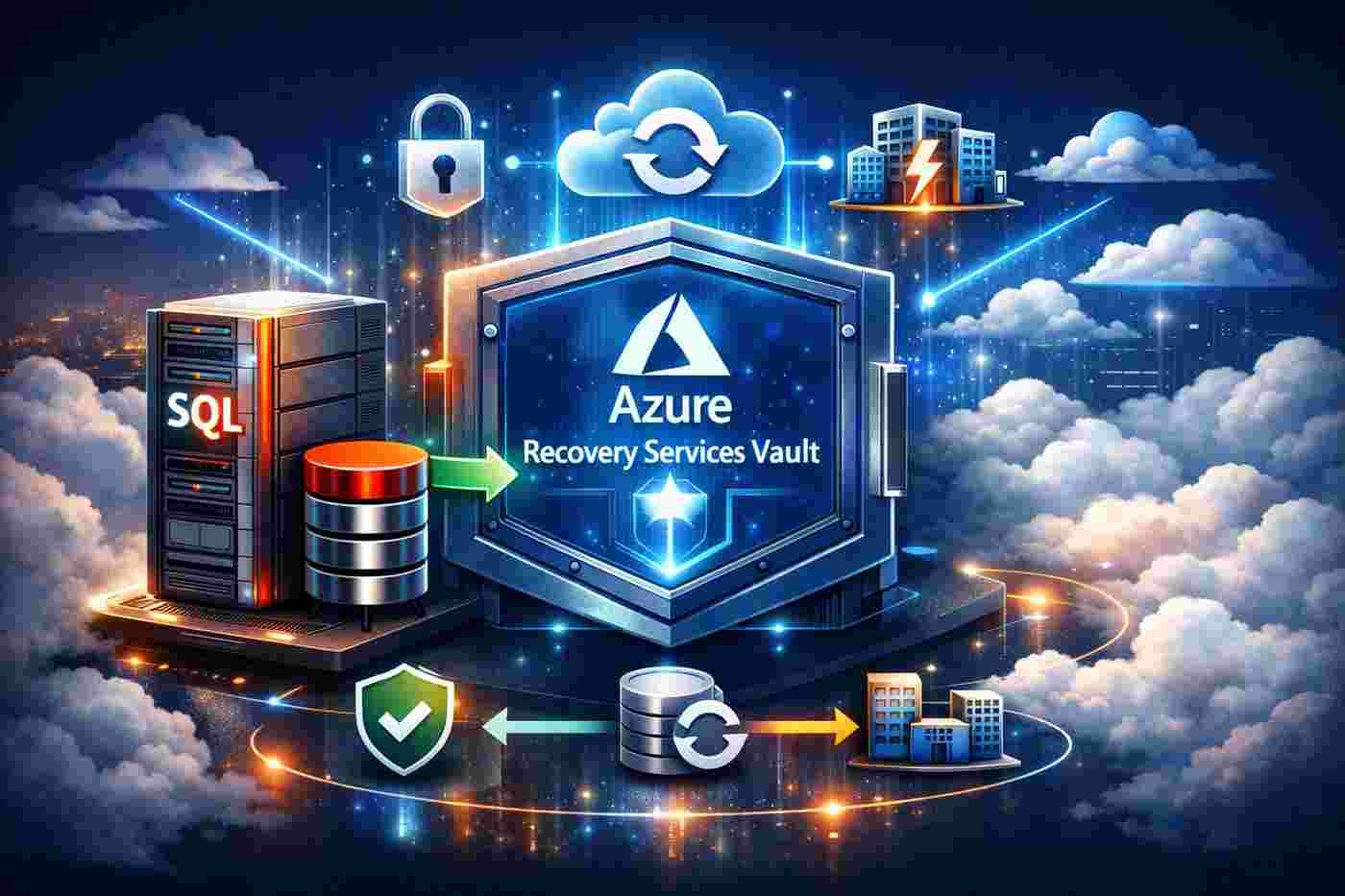
Introduction: Backup Is Not a Task — It Is a Business Guarantee
For a SQL Server DBA, backups are not optional.
They are not routine maintenance.
They are a contractual obligation between IT and the business.
Every transaction processed, every financial record stored, every operational system deployed depends on one fundamental promise:
Data must be recoverable.
In traditional on-premises environments, achieving that promise requires:
- Dedicated backup storage
- Offsite replication strategies
- Tape rotation or secondary data centers
- Monitoring scripts
- Periodic restore testing
- Manual retention management
- Complex security configurations
In Microsoft Azure, however, this responsibility can be re-architected using a centralized, scalable, and secure framework:
Azure Recovery Services Vault (RSV).
For SQL Server DBAs operating in Azure or hybrid environments, Recovery Services Vault is not just a backup repository.
It is a strategic data protection platform.
What Is Azure Recovery Services Vault?
Azure Recovery Services Vault is a cloud-based storage and management entity that serves as the backbone for:
- Azure Backup
- Azure Site Recovery (ASR)
It centralizes backup metadata, recovery points, policies, and security configurations in a secure, scalable vault.
Think of it as a hardened control plane for data protection.
It enables:
- Centralized backup management
- Policy-driven retention
- Secure storage redundancy options
- Hybrid workload protection
- Disaster recovery orchestration
For SQL Server DBAs, this transforms backup strategy from isolated instance-level tasks into a unified governance model.
Why SQL Server DBAs Must Understand Recovery Services Vault
As SQL Server estates move toward hybrid and cloud-first architectures, backup complexity increases.
You may have:
- SQL Server on Azure VMs
- Azure SQL Managed Instance
- On-premises SQL Server
- Multi-region disaster recovery
- Compliance-driven retention requirements
Managing backup consistency across all of these manually is unsustainable.
Recovery Services Vault provides:
- Policy standardization
- Centralized visibility
- Enforced retention rules
- Enterprise-grade security controls
- Integrated disaster recovery capabilities
It elevates the DBA’s role from executor to architect of business continuity.
How Recovery Services Vault Works for SQL Server
Let’s break it down technically.
SQL Server in Azure Virtual Machines
When SQL Server runs inside Azure VMs, Azure Backup integrates at the workload level.
This allows:
- Full database backups
- Differential backups
- Transaction log backups
- Point-in-time recovery
The backup process is application-consistent, leveraging the SQL Server VSS Writer.
Backups are stored in the Recovery Services Vault, not inside the VM.
This separation ensures that even if the VM is compromised, backup integrity remains intact.
SQL Server On-Premises Protection
For hybrid environments, Recovery Services Vault can protect on-premises SQL Server instances using:
- Azure Backup Server (MABS)
- Azure Backup Agent
This enables:
- Offsite backup replication to Azure
- Long-term retention
- Encrypted transfer
- Centralized monitoring in Azure
This effectively replaces traditional offsite tape or secondary datacenter storage with cloud-based resilience.
Storage Redundancy Options: LRS vs GRS
Recovery Services Vault supports multiple redundancy models:
Locally Redundant Storage (LRS)
- Three copies within a single Azure region
- Lower cost
- Suitable for non-critical workloads
Geo-Redundant Storage (GRS)
- Data replicated to a secondary region
- Higher durability
- Stronger disaster recovery posture
For enterprise SQL Server workloads, GRS is often the strategic choice.
It protects against regional outages — not just local hardware failure.
Security Architecture: Defense Against Modern Threats
Backup repositories are prime ransomware targets.
Recovery Services Vault includes multiple security layers:
Encryption
- Data encrypted in transit (TLS)
- Data encrypted at rest (Azure Storage encryption)
- Optional customer-managed keys via Azure Key Vault
Soft Delete
If backups are deleted accidentally or maliciously, they can be recovered within a retention window.
This protects against:
- Insider threats
- Compromised credentials
- Operational mistakes
Multi-Factor Authentication for Critical Operations
Destructive operations require additional authentication layers.
This dramatically reduces ransomware impact risk.
Role-Based Access Control (RBAC)
Fine-grained permissions ensure that:
- Not every DBA can delete backups
- Backup operators can restore but not modify policy
- Administrators maintain separation of duties
This aligns with Zero Trust security models.
Business Continuity and Disaster Recovery Integration
Recovery Services Vault integrates directly with Azure Site Recovery (ASR).
For SQL Server workloads, this means:
- VM replication across regions
- Orchestrated failover plans
- Automated recovery sequences
- Minimal Recovery Time Objective (RTO)
A mature architecture may include:
Primary Region:
- SQL Server in Azure VM
- Backup to Recovery Services Vault (GRS)
Secondary Region:
- Replicated VM via ASR
- Vault-stored backups replicated geographically
This creates layered resilience:
- Local recovery
- Regional recovery
- Long-term retention recovery
Few on-premises solutions provide this level of integration without massive cost.
Compliance and Long-Term Retention Strategy
Modern regulatory frameworks require:
- Defined retention policies
- Immutable backups
- Auditability
- Data encryption
- Recoverability proof
Recovery Services Vault enables:
- Retention policies spanning years
- Immutable backup configuration (where applicable)
- Centralized audit logs
- Compliance-friendly documentation
For industries such as finance, healthcare, and government, this is not optional.
It is mandatory.
Best Practices for SQL Server DBAs
If you want to use Recovery Services Vault strategically, follow these principles:
1. Align Backup Policies with Business Objectives
Define:
- RPO (Recovery Point Objective)
- RTO (Recovery Time Objective)
- Legal retention requirements
Technical configuration must reflect business reality.
2. Test Restores Regularly
A backup not tested is a backup not trusted.
Periodically validate:
- Full database restore
- Point-in-time restore
- Cross-region recovery
- Failover simulations
Confidence is built through verification.
3. Enforce Security Controls
- Enable soft delete
- Restrict RBAC permissions
- Use MFA for critical actions
- Monitor vault operations logs
Backup security is part of cybersecurity strategy.
4. Monitor Continuously
Use:
- Azure Monitor
- Log Analytics
- Backup reports
Detect:
- Failed backup jobs
- Retention drift
- Unauthorized operations
- Storage anomalies
Proactive monitoring prevents reactive crises.
5. Design for Hybrid Reality
Most enterprises are not 100% cloud or 100% on-premises.
Design backup architecture that supports:
- Hybrid workloads
- Gradual cloud migration
- Multi-region failover
- Cross-platform governance
Recovery Services Vault becomes the central anchor.
The Strategic Shift: From Backup Operator to Continuity Architect
Historically, DBAs were responsible for:
- Running backup jobs
- Managing storage
- Verifying log chains
In Azure, the role evolves.
The DBA becomes:
- A business continuity strategist
- A compliance enabler
- A risk mitigation advisor
- A cloud infrastructure collaborator
Understanding Recovery Services Vault is part of this evolution.
The Economic Perspective
Cloud-based backup via Recovery Services Vault often reduces:
- On-premises storage costs
- Tape management overhead
- Secondary datacenter infrastructure
- Manual operational workload
It shifts capital expenditure (CapEx) to operational expenditure (OpEx).
It also improves predictability.
Cost governance becomes measurable and adjustable.
Final Reflection: Backup Is the Last Line of Trust
Every system eventually fails.
Hardware fails.
Regions go offline.
Credentials are compromised.
Ransomware spreads.
The only question is whether your data survives.
Azure Recovery Services Vault provides:
- Centralization
- Scalability
- Redundancy
- Security
- Compliance alignment
- Disaster recovery integration
For SQL Server DBAs operating in Azure or hybrid environments, mastering Recovery Services Vault is not just technical knowledge.
It is strategic responsibility.
Because in the end, backups are not about databases.
They are about business survival.
🚀 Ready to boost your career in data?
👉 DBAcademy – DBA & Data Analyst Training
Over 1,300 lessons and 412 hours of exclusive content.
Includes subtitles in English, Spanish, and French.
🔗 https://filiado.wixsite.com/dbacademy
💡 Start learning today and become a highly in-demand data professional.
Share this content:


Post Comment