When High Availability Lies: The Azure Always On Listener That Worked — Until It Didn’t
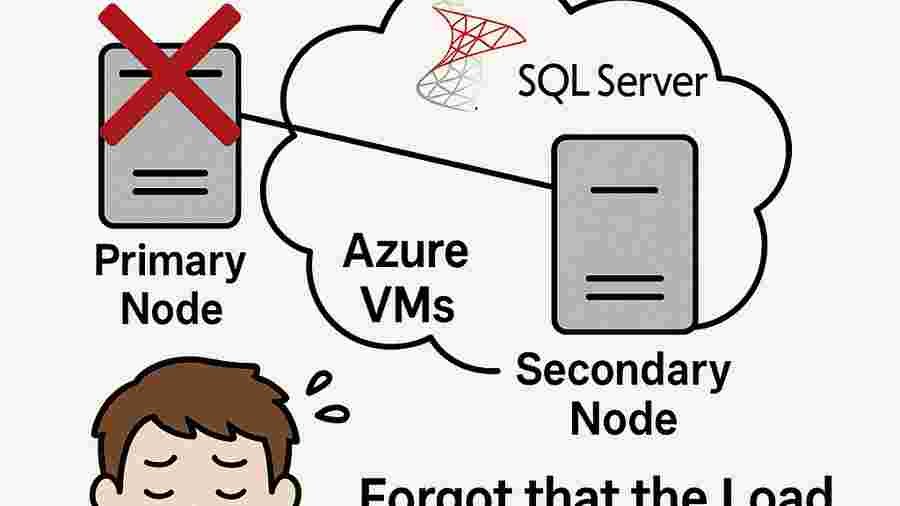
Introduction — The Illusion of Resilience
SQL Server Always On Availability Groups is widely regarded as one of the most robust high-availability technologies in the Microsoft ecosystem. Automatic failover. Replica synchronization. Redundancy. Enterprise-grade reliability.
On paper, it represents resilience.
But resilience is not just about database replication.
It is about connectivity continuity.
And in Azure Virtual Machines, that distinction becomes critical.
This article explores a scenario that is both common and dangerously underestimated:
The Availability Group was correctly configured.
Failover executed flawlessly.
The secondary replica was promoted successfully.
And yet — the entire system went down.
Why?
Because the Listener had no Azure Load Balancer behind it.
The Incident — When Failover Works but Users Cannot Connect
The Environment
- Two SQL Server VMs running in Azure
- Windows Server Failover Cluster configured
- Always On Availability Group operational
- Listener created successfully
- Replicas synchronized
From a database perspective, everything was correct.
Until the primary node restarted.
The cluster behaved exactly as designed.
The secondary replica became primary.
Data integrity was preserved.
Synchronization was intact.
But applications could not connect.
Users were locked out.
APIs returned timeouts.
Monitoring alerts escalated.
The Listener was unreachable.
Always On had succeeded internally — and failed externally.
Why This Happens in Azure
On-premises environments support floating virtual IP addresses managed natively by the cluster.
When failover occurs, the virtual IP moves seamlessly between nodes. Network routing is transparent.
Azure Virtual Machines do not support floating cluster IPs in the same way.
There is no native network-level failover of the cluster IP.
So what replaces that mechanism?
The Azure Load Balancer.
Without it, the Listener is nothing more than a static endpoint with no dynamic routing intelligence.
The Architectural Reality: The Listener Is a Network Abstraction
In Azure IaaS deployments, the Availability Group Listener depends on the Azure Load Balancer to:
- Own and expose the virtual IP
- Route traffic to the active node
- Detect primary replica status via Health Probe
- Redirect connections after failover
If the Load Balancer is not configured:
- The Listener IP remains bound incorrectly
- Traffic is not redirected
- Applications continue pointing to a node that is no longer primary
- Connections fail silently
From the database perspective, everything works.
From the business perspective, the system is down.
This is the hidden fragility.
The Root Cause — A Split Responsibility Problem
In the case analyzed, the DBA executed all SQL Server–side configurations perfectly:
✔ Availability Group created
✔ Listener configured
✔ Replicas synchronized
✔ Internal tests validated
But the Azure infrastructure layer was incomplete:
✖ No Internal Load Balancer
✖ No Backend Pool configured
✖ No Health Probe
✖ No HA Ports rule
✖ Listener IP not associated with Load Balancer
The result?
The Listener existed logically — but not operationally.
This is not a SQL failure.
It is an architectural oversight.
High availability in the cloud is not purely a database configuration.
It is a distributed systems problem involving networking, routing, health detection, and orchestration.
Business Impact — Where Theory Meets Reality
When the primary node failed:
- Applications went offline
- Reporting services stopped
- APIs timed out
- Batch jobs stalled
- Entire teams were blocked
Ironically, the environment labeled as “Highly Available” became a single point of failure.
Because availability is only meaningful if clients can reconnect automatically.
Replication without routing is not resilience.
The Fix — Restoring True High Availability
To ensure proper functionality in Azure VM deployments, the following components must be configured:
- Create an Internal Azure Load Balancer
- Add SQL VMs to the Backend Pool
- Configure a Health Probe
- Create a Load Balancing rule (HA Ports)
- Associate the Listener IP with the Load Balancer
- Reconfigure the Availability Group Listener to use that IP
- Perform a real failover test with live application connections
Only after validating end-to-end connectivity under failover conditions can the system be considered truly highly available.
Deeper Lessons — What This Incident Teaches
1. Cloud High Availability Is Not Lift-and-Shift
Azure is not on-premises with a different logo.
Network behavior changes. IP handling changes. Failover mechanics change.
Assumptions carried from physical data centers often break in virtualized cloud networking.
2. Database HA Is a Multi-Layer Discipline
High availability spans:
- Database engine
- Operating system cluster
- Cloud networking
- Load balancing
- Health monitoring
Any weak link collapses the promise.
3. Failover Tests Are Not Optional
A configuration that has never been tested under simulated failure is not a resilient system.
It is a hopeful system.
4. The Real Definition of High Availability
High availability is not:
“Can the replica promote successfully?”
It is:
“Can the application continue operating without interruption when failure occurs?”
If connectivity breaks, availability is broken — regardless of internal cluster status.
Final Reflection — Availability Is an End-to-End Property
Always On is powerful.
Azure is powerful.
But power without architectural integration creates false confidence.
A Listener without a Load Balancer is an illusion of redundancy.
When properly configured, however, Azure + Always On delivers exactly what it promises:
Seamless failover.
Transparent reconnection.
Continuity under failure.
True resilience is not about replication alone.
It is about ensuring that when systems fail — and they will — users never notice.
🚀 Ready to boost your career in data?
👉 DBAcademy – DBA & Data Analyst Training
Over 1,300 lessons and 412 hours of exclusive content.
Includes subtitles in English, Spanish, and French.
🔗 https://filiado.wixsite.com/dbacademy
💡 Start learning today and become a highly in-demand data professional.
Share this content:




Post Comment